
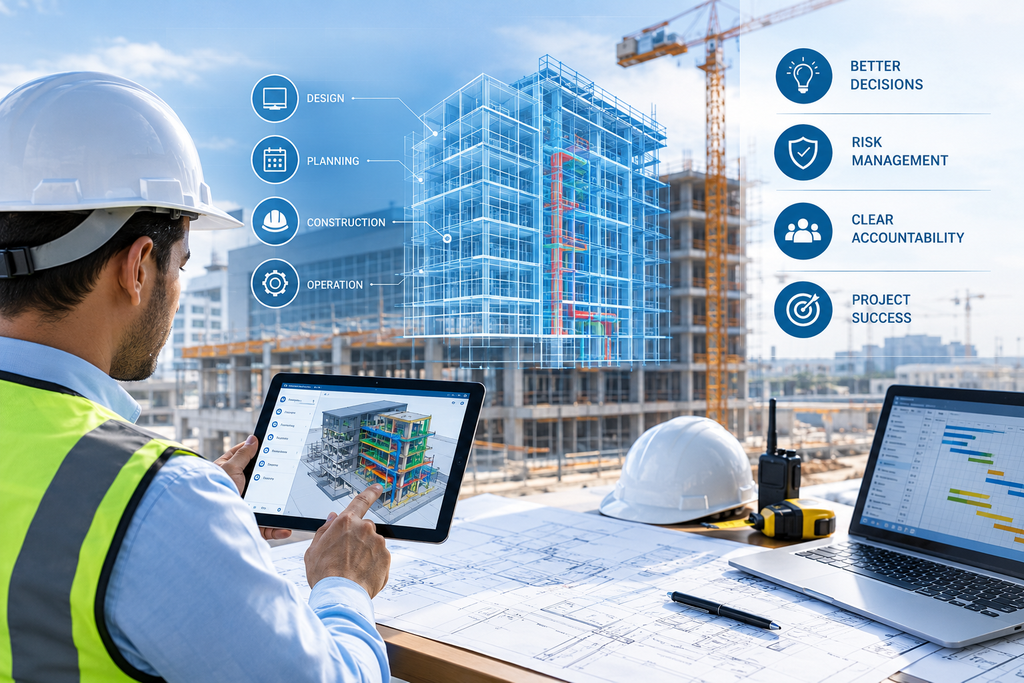
Most construction delays do not start with a big failure. They start with small decisions that nobody checked properly. Project management with BIM helps managers see what a decision will change before they approve it.
1. What Does a Project Manager Need to Control in Construction?
A construction project can look fine while problems stay hidden. A subcontractor may be waiting for an approval, or a material order may depend on an open design decision. A client change may also affect work already completed. Each issue seems small, but together they put pressure on the budget and completion date. This is why project management needs more than a schedule check. Managers must understand the effect of a decision before approving it, and know who is responsible for each action. Consider a commercial building in Abu Dhabi where the client asks to change the layout of a service area. The change may affect the design, equipment clearances, access and work already planned.
Approving it without a review could add cost or delay. The manager needs to know what changes, who is affected and what it costs. Project management with BIM gives the team a clearer view of the proposed work. The manager can use model information alongside schedules, cost data, site reports and technical advice. For the basics of how one shared model works for every trade, read our earlier blog on how every trade works from the same model. The goal is not to remove every problem. It is to spot important issues early and assign someone to resolve them.
2. What Is Building Information Modeling (BIM), and Why Does It Matter for Decisions?
Building Information Modeling (BIM) is a process for creating and managing digital models of buildings and their information. A model can hold dimensions, materials, equipment details and other data, depending on the project. For project management, BIM is more than a 3D view. It shows how proposed work relates to the design and to individual building components. For example, a change to a plant room may affect equipment access, nearby services or working space. A suitable model helps the team see these links and raise the right questions.
BIM also helps compare options. If two layouts are being considered, the team can review space needs, quantities and coordination before choosing one. Cost and schedule effects still need to be checked with proper project data. A model may not hold live costs, programme dates or site progress unless these are recorded in it. Where the project is an extension or renovation, 3D laser scanning can record the existing building. The model then starts from real site conditions. ASW’s BIM Modeling services are a good starting point for seeing how digital models support documentation and coordination. The next step is deciding how the information will support approvals, risk reviews and performance decisions.
3. How Project Management with BIM Supports Better Decision-Making
Construction decisions often pull in different directions. One option may cut material cost but take longer to install. Another may be easy to build but hard to maintain later. BIM lets the team check the physical effects of each choice before committing. The manager can then combine this with cost, technical and programme points.
A useful decision process answers four questions:
- What is being decided? Define the problem or change clearly.
- What information supports the decision? Review the model, drawings, specifications, programme and costs.
- Who needs to contribute? Get input from designers, engineers, contractors or the client.
- What happens after approval? Record the decision, assign actions and tell the affected teams.
Imagine a contractor proposing a new location for a mechanical unit because the original spot is hard to install. The manager should not approve it on appearance alone. The team must check service connections, structure, clearances, access and the effect on other trades. BIM can help show conflicts, but engineers still verify compliance and the commercial team checks costs.
Once a decision is approved, update the records. This links the issue, the evidence, the approver and the actions that followed. Approved changes also need updated drawings, which our CAD services team can prepare from the current model. To see how sheets stay in line with what is built, read about Revit BIM architecture drawings. For changes inside rooms, see our blog on interior design BIM.
4. Using BIM to Assess Construction Risks Before They Become Bigger Problems
Risk management means spotting events that could affect the project, judging their impact and deciding how to respond. Risks can come from design, methods, supply, access, site conditions or approvals. BIM helps with risks that have a spatial or technical link to the building. A coordinated model may show a clash between services before installation starts. Not every risk shows up in a model. Supplier delays, price changes, labour shortages and late approvals need information from other sources.
Ground conditions and existing services are a good example. A topographic survey and a utility survey give real site data before design is fixed. Our blog on BIM in civil engineering explains how the ground becomes part of the model.
A practical risk review combines BIM information with a risk register. For each significant risk, record:
- Risk description: What might happen, and why?
- Potential impact: How could it affect cost, time, quality or safety?
- Likelihood and severity: How probable is it, and how serious would it be?
- Mitigation action: What can reduce the chance or the impact?
- Responsible person: Who will monitor it and complete the actions?
- Review date: When should the team check it again?
For example, a model review may show an access problem around major equipment. The team can check clearances and installation order before the equipment arrives. The register then records the issue, the responsible engineer and the deadline. Spotting a risk does not solve it, so the manager must follow up and review it again when things change.
5. Managing Accountability When Project Decisions Affect Multiple Teams
One decision on site can create work for several people. A design revision may need an engineer to update details, a contractor to change the method and a commercial manager to price it. Without clear responsibility, actions stay unfinished because each person thinks another team is handling it. BIM gives everyone a shared reference for the affected components. But accountability comes from the project’s management procedures, because a model does not decide who can approve a change.
A decision and action register closes this gap. It records the issue, the decision needed, the person responsible, the approval authority, the due date and the status. For example, if a revised opening is approved in a wall, the register shows who updates the drawings, who checks the structure and who informs the contractor. Each action has a name and a date.
Conclusion
BIM gives project managers a clearer view of what a decision will change. It works best with a risk register, a decision log and clear ownership of every action. To build a model that supports your project decisions, contact the ASW team.
Frequently Asked Questions About Project Management with BIM
1. What is project management with BIM?
It is using a digital building model with schedules, costs and site reports to make better project decisions.
2. Can BIM predict construction risks?
It can show clashes and access problems early. Risks like supplier delays or late approvals need other records.
3. Does BIM replace a risk register?
No. The model helps find risks, while the register tracks actions, owners and review dates.
4. Who approves a change on a BIM project?
The person named in the project’s approval procedure, not the model itself.
5. Is BIM useful for small projects?
Yes. You can scale the detail to the job. Our BIM Modeling services can be matched to the project size.This blog explains how it supports better decisions, risk checks and clear responsibility on site.