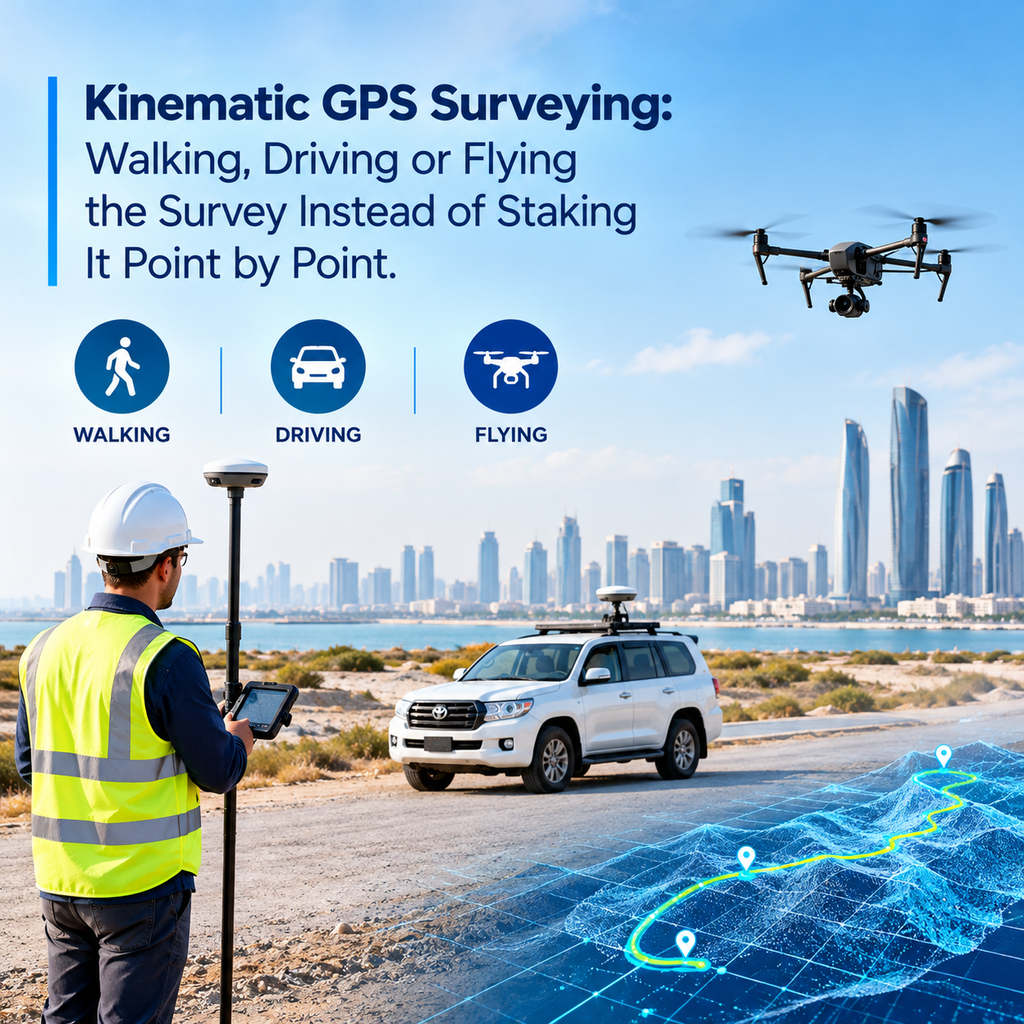
Most people picture a surveyor planting a pole on a point, waiting a few seconds, and moving on. That works for a boundary corner. It is slow for a 4 km road, a stockpile yard or a wide plot with uneven ground. Kinematic GPS surveying solves that by recording position while the receiver keeps moving.
What Kinematic GPS Surveying Actually Means
In kinematic surveying, the GPS receiver records its position continuously while it travels. The receiver can sit on a backpack, a vehicle roof or a drone. It logs a coordinate every second, or several times a second, and the result is a dense line of points instead of a handful of stakes.
The word “kinematic” simply means “in motion.” The receiver still needs a fixed reference to work against. That reference is usually a base station or a CORS network, and it makes the centimetre-level accuracy possible.
How It Differs from Static and Stop-and-Go Methods
Surveyors use three common GPS approaches, and each suits a different job.
- Static: the receiver sits on one point for a long session, often 30 minutes or more. It gives the highest accuracy and suits control points.
- Stop-and-go: the surveyor moves between points and pauses briefly on each one. It works well for a limited number of known features.
- Kinematic: the receiver never stops recording. It suits long corridors, large open areas and any job where you need a continuous profile.
So kinematic work trades a little accuracy per point for a huge gain in coverage. On most construction and topographic jobs, that trade makes sense.
The Gear Behind a Moving Survey
A kinematic setup has four main parts.
The rover is the moving receiver. It carries a GNSS antenna and a controller, and it logs data along the route.
The base station sits on a known point and records the same satellites at the same time. It sends corrections to the rover. If a CORS network covers the area, the network can take the base station’s place.
The antenna matters more than people expect. A good survey antenna rejects reflected signals, and that protects the data near walls and vehicles.
The controller and software record the track, flag problems and later turn the raw data into coordinates.
Abu Dhabi has a strong foundation here. Abu Dhabi Municipality and Fugro worked between 2017 and 2019 to update the emirate’s CORS network and geodetic control. A well-kept reference network is what keeps a moving rover tied to the right place on the ground.
How the Position Stays Accurate While You Move
The rover and the base watch the same satellites. Because they share almost the same errors, the software can cancel most of them out. It then resolves the carrier-phase “ambiguities,” which is the step that turns a rough position into a centimetre-level one.
There are two ways to apply the corrections.
RTK (real-time kinematic) sends corrections to the rover over radio or mobile data. The surveyor sees a fixed coordinate on the controller straight away. This suits setting out and quick checks.
PPK (post-processed kinematic) stores the raw data and applies the corrections back at the office. It does not depend on a live link, so it works well on drones and in areas with weak mobile signal.
Both methods can reach a few centimetres in good conditions. The real skill is knowing when the solution is truly fixed and when it only looks fixed.
Walking, Driving and Flying: Where Each Platform Fits
The platform decides what the survey can do.
Walking. A pole or backpack rover covers uneven ground, building edges and areas where a vehicle cannot go. It suits detailed topography survey work, where the surveyor needs to follow ground breaks, kerbs and drainage lines.
Driving. A rover on a vehicle can log a long road or corridor quickly. It records the surface as the vehicle travels, so a road profile that would take days on foot takes hours.
Flying. A drone with a PPK receiver tags every photo with a precise position. That cuts the number of ground control points you need on a large site. We use the same logic in our drone mapping work, where one flight can cover ground that would take a crew much longer on foot.
The best choice often combines two platforms. A drone covers the open area, and a walking rover picks up the tight corners and checks the result.
What Goes Wrong in the Field
Kinematic surveying looks simple on screen. The field is less forgiving.
Lost signal. Trees, bridges, tall buildings and tunnels block satellites. The rover loses its fix, and the data on that stretch becomes unreliable. In dense parts of Abu Dhabi, between towers for example, this happens often.
Multipath. Glass facades and metal surfaces reflect signals. The receiver then measures a longer path than the real one, and the position drifts.
Slow initialisation. After a signal break, the rover needs time to regain its fixed solution. A surveyor who keeps walking during that time collects bad points.
Height confusion. GPS gives heights above the ellipsoid, not above the local level datum. If the team skips the geoid or local correction, the heights will not match the project levels.
A good surveyor plans the route around these problems. They start and finish on known control and avoid long shadowed stretches where possible.
Checking the Data Before Leaving Site
Collecting data is half the job. The other half is proving it is right.
Start by occupying a known control point at the beginning and end of the run. If the rover reads the point within tolerance, the run is sound. Then repeat a short section of the route and compare the two passes. Large differences point to a weak fix.
Back at the office, remove the points logged with a float or lost solution. Check the coordinate system and height datum before the data goes anywhere. Once the data is clean, the CAD team can turn it into contours, surface models and drawings through our CAD services.
When to Choose Kinematic Over Point-by-Point Staking
Kinematic surveying is not always the right tool. Use it when:
- The site is large and open, such as a plot, a laydown yard or a borrow pit.
- The job follows a line, such as a road, a pipeline or a channel.
- You need a continuous surface, not isolated spot heights.
- Time on site matters.
Stay with conventional staking or a total station when the job needs sub-centimetre precision on a few points, or when the site sits under heavy cover. In that case, a mix of methods usually works best. Our GPS survey service in Abu Dhabi picks the method to match the site, not the other way round. For official survey and mapping requirements in the emirate, check the Abu Dhabi Department of Municipalities and Transport.
Conclusion
Kinematic GPS surveying lets a surveyor map ground by moving across it. A walking rover, a vehicle or a drone can collect thousands of accurate points in the time a crew would stake out a few dozen. The method works best when the team respects its limits: good reference control, a clear sky and honest checks before the data leaves site. Get those right, and the survey is faster and just as reliable.
FAQs
1. What is kinematic GPS surveying in simple words?
It is GPS surveying where the receiver records positions while it moves, instead of waiting on one point.
2. How accurate is it?
In good conditions, RTK and PPK reach a few centimetres. Poor sky view or reflections can reduce that.
3. What is the difference between RTK and PPK?
RTK applies corrections live in the field. PPK applies them later at the office from stored data.
4. Can it work between tall buildings?
It struggles there. Buildings block satellites and reflect signals, so surveyors often add a total station in those areas.
5. Is kinematic surveying good for road projects?
Yes. A vehicle-mounted rover captures long corridors quickly and gives a continuous profile.
Pingback: Surveying in GPS: From Satellite Signal to a Point You Can Build On - Accurate Survey Work LLC